Desktop chart scanner · Crypto & U.S. stocks

Stop openingcharts oneby one.

1K Scanner lays out 1,000+ chart views across tabs. Every symbol already shows several timeframes side by side, with your indicators already on. You flip, glance, and stop only where something deserves a closer look.

Paid checkout is temporarily unavailable

Real app capture · tab tourYou choose where to stop
Flip tabs. Glance. Keep going.Crypto and U.S. stock tabs, each symbol in 1W · 1D · 4h · 1h, with the scanner's hotlist on the right.

It does not place trades or tell you what to buy or sell. You decide what to look at next.

Why it's faster

We won't promise minutes. We'll show you the steps.

Your markets, timeframes and indicators are your own, so any 'minutes saved' number would be made up. Instead, here is the routine most chart scanning follows — and what happens to each step in 1K Scanner.

#The usual routineIn 1K ScannerHow
01Search a symbol and open its chartGoneADCharts are already laid out in tabs. One key flips to the next screen.
02Switch timeframes to see the bigger pictureGoneEach symbol shows several timeframes side by side on the same screen.
03Add your indicators againGoneYour indicator setup stays on every chart, in every tab.
04Scan by eye for something worth a lookShorterScanner rules and the hotlist bring up charts where signals line up across timeframes first.
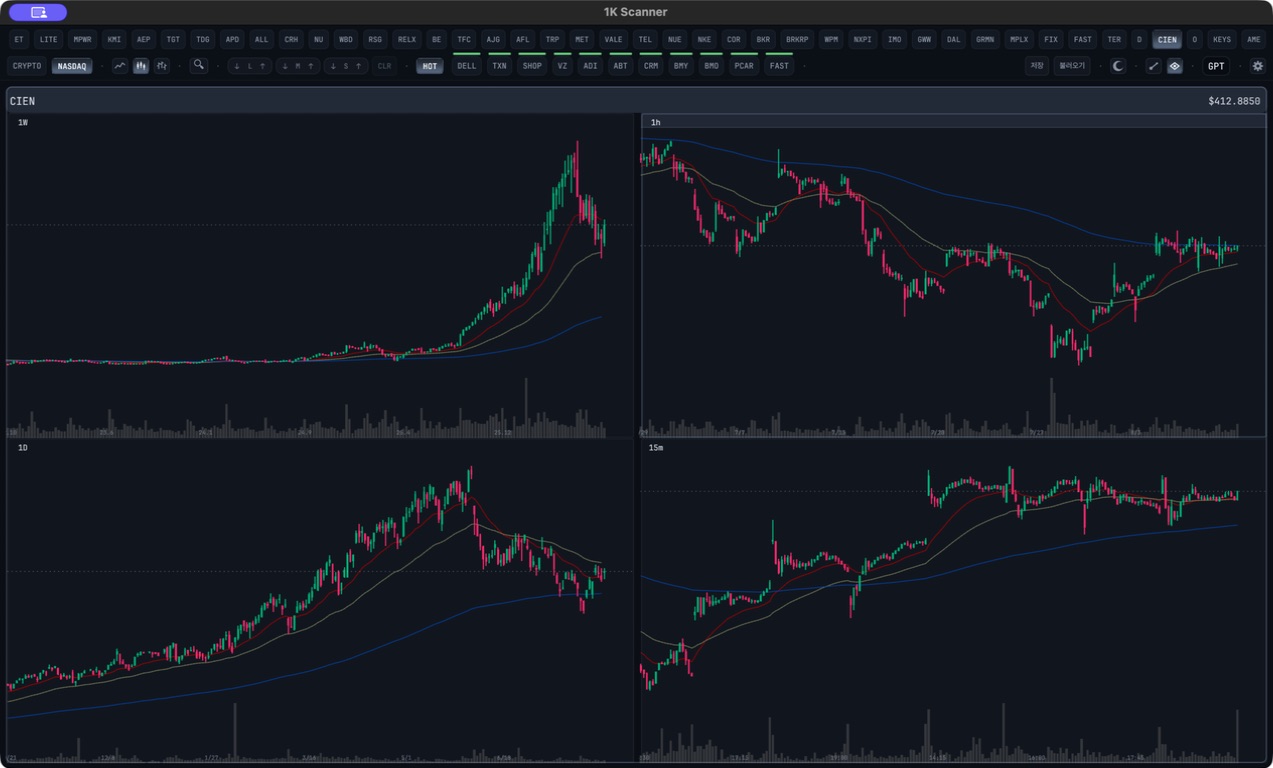
05Take a closer look at oneOne keyExpanded view puts its week, day, hour and minute charts on one screen.
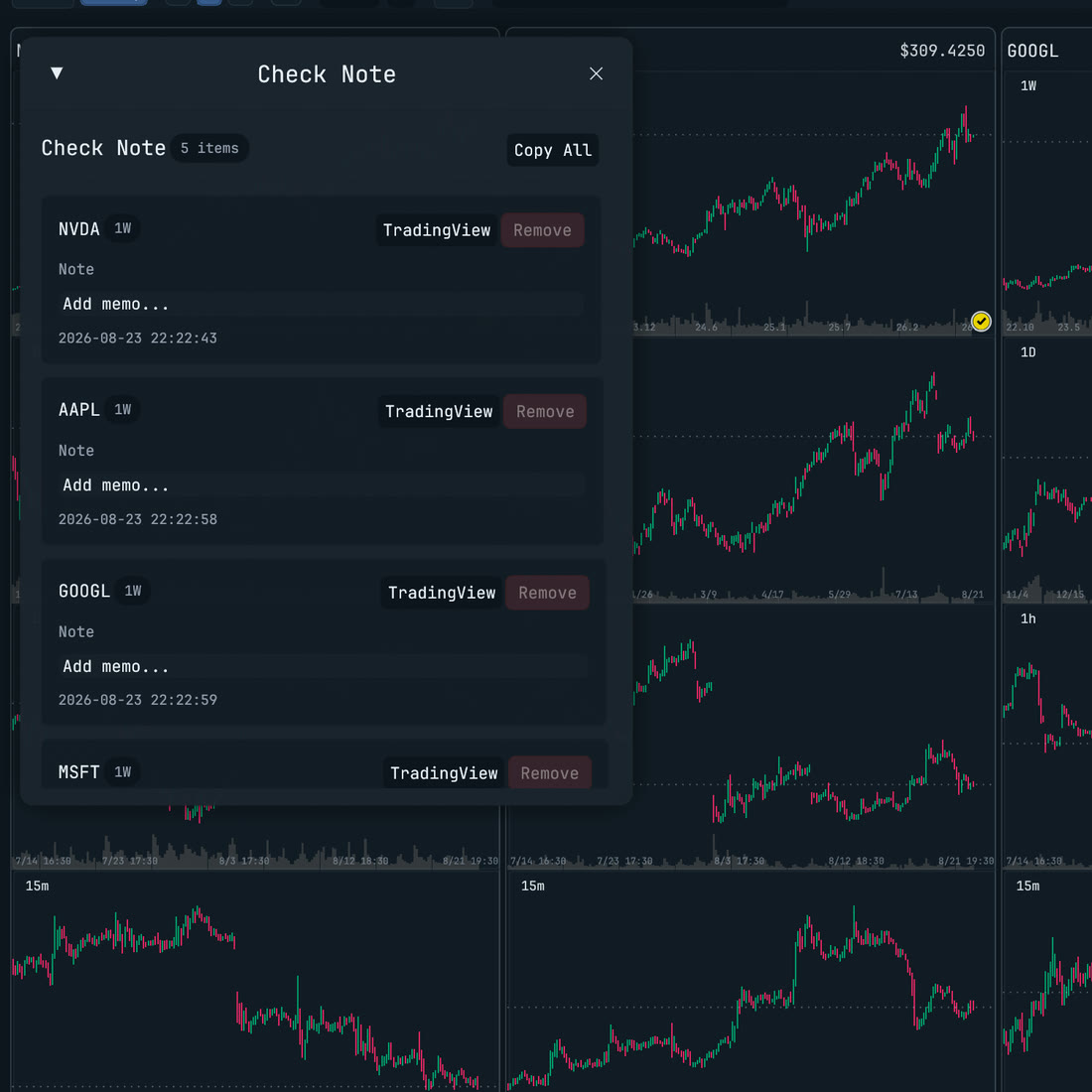
06Write it down somewhere elseOne keyVPress V to add it to Check Note, with room for a memo.
07Reopen it in TradingViewOne keyGPress G to open the same chart in TradingView.
08Decide whether it mattersStill yoursUntouched. 1K Scanner does not trade or recommend.

The usual routine repeats for every symbol. This one repeats for every screen.

Real screens
What happens after something catches your eye.

Real expanded viewPlate 02
1K Scanner expanded view showing week, day, hour and 15-minute charts of one U.S. stock
See all of it.Week, day, 1-hour and 15-minute charts of one symbol on one screen. The hotlist row above takes you straight to the next candidate.
Real Check NotePlate 03
1K Scanner Check Note listing five charts with memo fields and TradingView buttons
Keep what you found.Marked charts collect in one list, each with a memo field and a TradingView button.
Real drawing toolsPlate 04
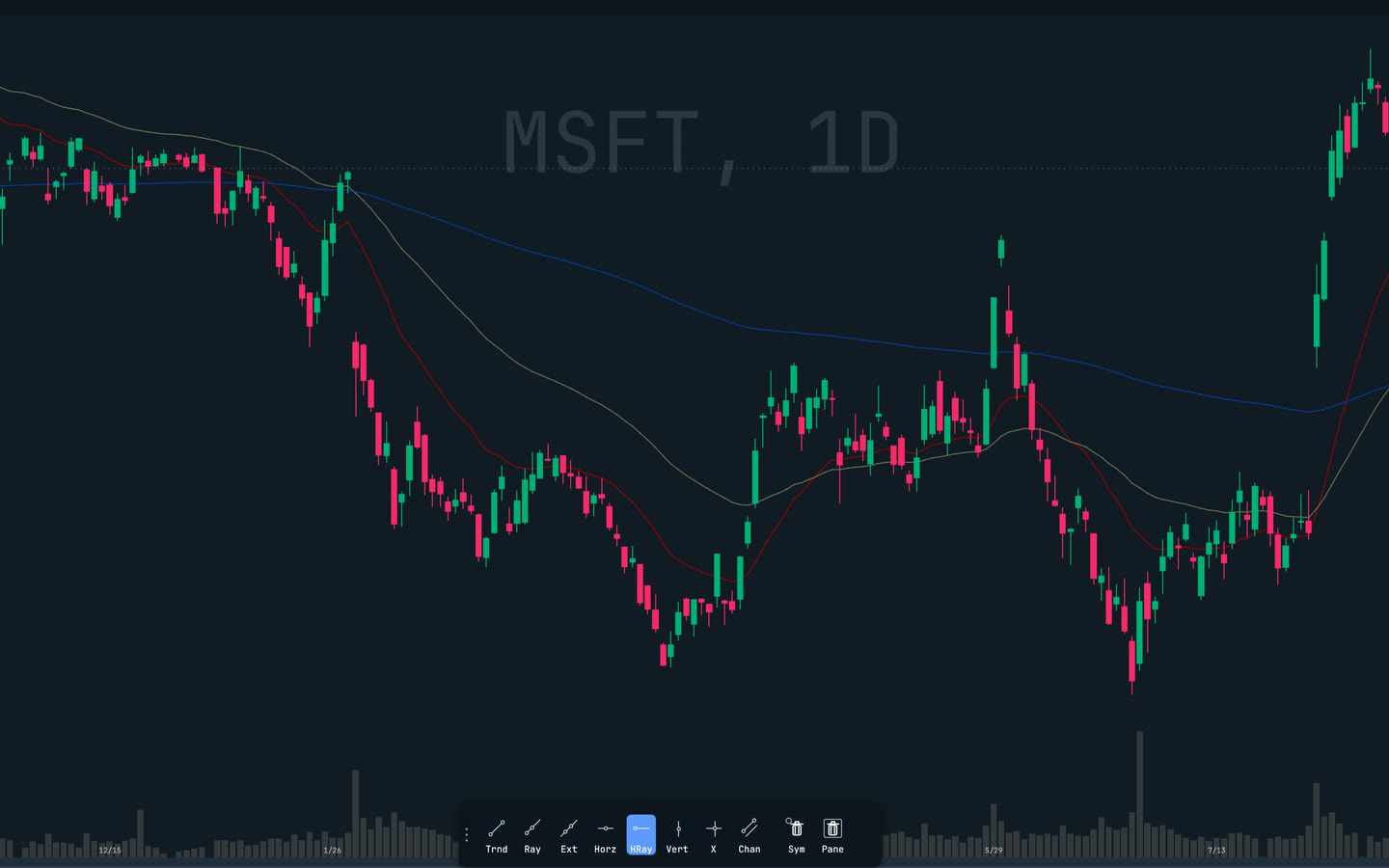
1K Scanner close-up of an MSFT chart with the drawing toolbar open
Mark it where you see it.The same drawing tools work in the dense grid, expanded view and close-up.

Or just ask

Ask in plain words. It works from the charts already loaded.

1K GPT is built into the app. Connect the ChatGPT account you already use, or your own API key. It searches the charts the app has already computed, reads several timeframes, and draws support and resistance zones right on your chart.

Answers are analysis, not advice. API keys may incur separate charges from that provider. On Linux, use an API key instead of a ChatGPT account.

1K GPTExample request · not live data

Find crypto charts with a volume spike and bullish signals lining up on 1h.

  1. 01Searches the loaded charts for matching candidates
  2. 02Reads one candidate across 1W · 1D · 4h · 1h
  3. 03Draws zones and an invalidation level on your chart

Before you start

What it is. What it isn't.

It is

Runs on
Windows · macOS · Linux
An app you install on your computer, not a website.
Markets
Crypto · U.S. stocks
U.S. stock data needs your own market data provider account.
Sign-in
Google · GitHub
Your plan is recognized when you sign in inside the app.
1K GPT
Your ChatGPT or API key
The assistant runs on the AI account you already have.

It isn't

  • Not a trading bot.It never places orders.
  • Not a signal service.It does not tell you what to buy or sell.
  • Not a TradingView replacement.It hands the chart you found over to TradingView.

Plans

Same app. Pick how many tabs you need.

Free, Core and Pro use the same installer. Paid plans are billed monthly in USD.

Paid checkout is temporarily unavailable

Free

$0per month

No checkout

1 regular tab per market

Sign in and start without checkout.

Core

$99per month

Regular price

Up to 5 regular tabs per market

For a focused set of workspaces.

Pro

$199per month

Regular price

Unlimited regular tabs per market

For scanning without a regular-tab limit.

Taxes may apply. Paddle shows the final checkout total before payment.

Existing users can still sign in, manage their account, and download the installer.